Robots.txt for AI Search: Allow Search, Control Training
Configure OAI-SearchBot, GPTBot and PerplexityBot correctly. Use a practical robots.txt example and a verification checklist to separate AI search from training.
Aeranko Team
AI Search Optimization
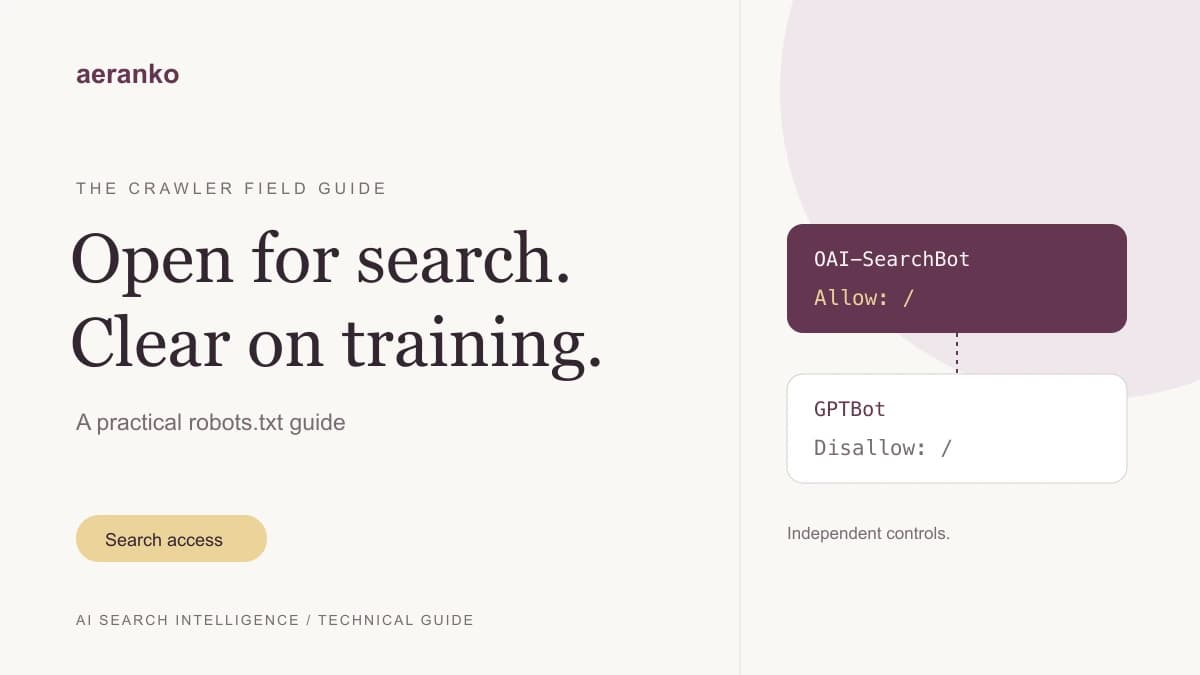
You can allow your website to appear in ChatGPT search while opting out of OpenAI model-training crawls. The controls are separate: OAI-SearchBot handles search discovery, while GPTBot handles content that may be used for training. A blanket block on “AI bots” can therefore interfere with the visibility you actually want.
This guide explains which controls to inspect, gives you an adaptable robots.txt example, and shows how to verify the result. The distinction is useful for marketing teams that want discoverability and engineering teams that need an explicit content-use policy.
Which AI crawler controls what?
Start with the product's documented purpose. A request containing an AI company's name does not automatically represent a search visit, a training crawl, or a customer referral.
| Agent or control | Purpose | Practical decision |
|---|---|---|
OAI-SearchBot | Discovery for ChatGPT search | Allow public pages you want eligible for search |
GPTBot | Content that may be used for OpenAI model training | Set separately according to your training policy |
ChatGPT-User | Visits triggered by user actions | Treat separately from automatic search crawling |
PerplexityBot | Finding and linking sites in Perplexity search | Allow intended public search content |
Perplexity-User | Visits triggered by Perplexity users | Monitor separately from indexing crawls |
Googlebot | Crawling for Google Search | Keep intended search pages accessible |
Google-Extended | Specified Gemini training and grounding uses | Review both uses before blocking |
OpenAI documents independent search and training settings. Allowing GPTBot is not a prerequisite for ChatGPT search eligibility, and ChatGPT-User is not the search opt-out control. User-triggered visits may not follow robots.txt in the same way as automatic crawlers. See OpenAI's crawler documentation.
Perplexity describes PerplexityBot as a search crawler, not a foundation-model training crawler. Its documentation also distinguishes the user-triggered fetcher and recommends checking both user-agent and published IP ranges when configuring a firewall. See Perplexity's crawler documentation.
A robots.txt example for ChatGPT and Perplexity
The following example allows public search crawling and disallows GPTBot. It is an illustration for a site with /account/ and /internal/ paths, not a replacement for your existing file. Merge the relevant groups, retain your existing exclusions, and use your real sitemap URL.
User-agent: *
Allow: /
Disallow: /account/
Disallow: /internal/

User-agent: OAI-SearchBot
User-agent: PerplexityBot
Allow: /
Disallow: /account/
Disallow: /internal/

User-agent: GPTBot
Disallow: /

Sitemap: https://example.com/sitemap.xml
Notice that the search-specific group repeats the path exclusions. Under the Robots Exclusion Protocol, a matching agent group does not simply inherit the wildcard group's rules. Leaving those exclusions only under User-agent: * can change what a specifically named bot is allowed to crawl.
Also distinguish a path block from a site block. Disallow: /internal/ restricts that path. Disallow: / restricts the whole site for the matching group. A checker that merely finds the word “Disallow” near a bot's name can report a false alarm. Evaluate the actual target URL and matching rules.
Robots.txt communicates crawl preferences; it does not protect confidential data. Keep private pages behind authentication and enforce access on the server.
Why Google-Extended needs a separate decision
Do not treat Google-Extended as a universal switch for Google's AI search features. Google documents it as a product token covering specified Gemini training and grounding uses. It has no separate HTTP user-agent string, so a log report should not promise to count Google-Extended visits directly. Google also states that this setting does not affect inclusion or ranking in Google Search. See Google's crawler reference.
For Google AI Overviews and other generative Search features, check Search eligibility and the site's inclusion setting in Search Console. Google's current guidance requires an indexed page eligible for a search snippet; meeting those conditions still does not guarantee display. See Google's AI search optimization guide.
The operational implication: record a policy for each product. “Allow search, block training” is a useful goal, but the available controls do not divide every provider's products in exactly the same way.
Verify access beyond robots.txt
A permissive robots.txt file cannot fix a firewall challenge, a broken redirect, or a page that returns an error. Use this checklist with someone who can inspect your hosting and CDN configuration.
- Open the deployed file. Check
https://your-domain.com/robots.txton the exact hostname you use publicly. A staging change says nothing about production. - Test representative URLs. Include the homepage, pricing, one product page and one article. Check both the matching crawler group and the path rules.
- Inspect the response body. A
200response can contain a bot challenge or a sign-in screen. Confirm that the public page content is actually present. - Review edge rules. Look for bot categories, managed challenges, geographic restrictions and rate limits that run before the application.
- Verify crawler identity. User-agent strings can be copied. Use the provider's current verification guidance before creating privileged firewall exceptions.
- Check indexing controls. Inspect
noindex, canonical URLs and relevant search-console reports. Permission to crawl is only one part of discovery. - Record the deployment time. Compare subsequent crawler requests against the change. An immediate absence of visits does not prove that your configuration failed.
Keep a small evidence log: URL, agent, expected permission, observed status, response content and time checked. This makes a handoff to engineering much more useful than a screenshot saying “AI cannot see us.”
Measure discovery and customer traffic separately
Crawler access is a technical prerequisite you can investigate. It is not proof that an answer cites you or that a customer visited your website.
Track three separate outcomes:
- Access: verified search crawlers successfully retrieve your intended pages.
- Visibility: a consistent set of customer questions produces mentions or citations in the platform you are measuring.
- Business results: people arrive, explore the product and complete a meaningful action, such as requesting an audit or signing up.
For a practical comparison, choose ten questions from actual sales conversations. Save the wording, platform, date and cited URLs before changing your site. Repeat the same set after your crawl configuration and content updates have had time to propagate. Keep unavailable measurements separate from measured answers that do not mention you.
Use our AI visibility measurement guide for the reporting workflow and the GA4 AI traffic guide for referral analysis. Neither a crawler count nor an individual visibility score should substitute for customer outcomes.
Frequently asked questions
Does blocking GPTBot remove my site from ChatGPT search?
The controls are independent. Review OAI-SearchBot for search eligibility and GPTBot for OpenAI training preferences. Your page still needs to be accessible and selected as a relevant source; allowing a crawler is not a placement guarantee.
Why am I still getting AI requests after blocking a bot?
Check the exact user-agent, the applicable group and whether the request came from an automatic crawler or a user-triggered fetcher. Also verify the source rather than trusting its name. Robots.txt is not an access-control mechanism.
Does allowing a bot guarantee citations?
No. It removes one potential obstacle. Your page must also provide useful, accurate information for the question being answered. Measure actual citations independently of server requests.
Should I publish llms.txt instead?
Treat any llms.txt file as supplementary documentation. It does not replace robots.txt access rules, your public pages or indexing checks. Fix a blocked pricing page or a broken canonical before spending time on optional files.
Check your own site
Run a free Aeranko visibility audit to review your site's technical signals alongside available AI visibility measurements. Then use the checklist above to confirm any suspected crawler issue at the URL and firewall level.
If access is healthy but your brand is absent, the next task is content: make your product, audience, pricing and supporting evidence clear enough for a prospective customer to evaluate. A technically accessible page still needs to answer a real question.
See how your brand ranks in AI search for free
Run a free AI audit and get your visibility score across ChatGPT, Perplexity, Gemini, and Google AI Overviews in 60 seconds.
Run Free AI Audit